
Manual
Flagging Files and Folders
Flag important items so they stay visible in Trickster until you unflag them.
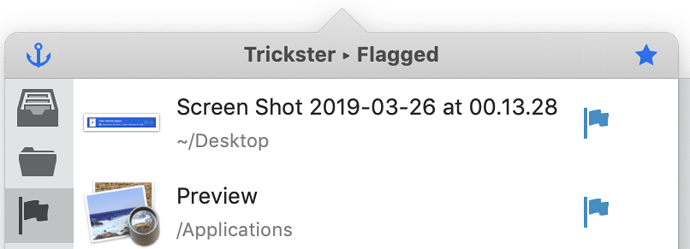
Trickster lets you to add a flag to any file by clicking a small flag icon to the right of it:

Flagged files are marked with little flags, so you can easily spot them in the list. Click the flag again to remove it.
You can show only flagged files by selecting the Flagged preset filter:
An obvious use for flagging is to mark important files that you would like to get back to, for example an unfinished document that you need to complete and send to your boss. Of course, that is just only one possible use, and you are more than welcome to find your own uses for flags.