
Manual
Selecting Multiple Files or Folders in Trickster
Select several items at once and perform actions on them together.
You can select multiple files in the Trickster recent files list and then perform actions on that group of files: move them to a folder, flag them, open with a particular application and so on.
Select several files one after another in the list by clicking on the first file and then Shift-clicking on the last file you want to select. You can also add or remove files to selection one by one by Command-clicking on them.
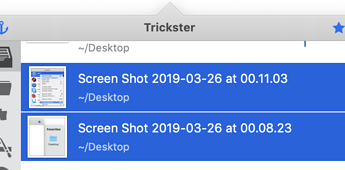 Example: two selected files