

Roam Research and Trickster Integration
Send Roam Research pages to Trickster with the Save to Trickster extension from Roam Depot.
The Save to Trickster extension for Roam Research adds a button to Roam’s topbar that sends the page you’re looking at to Trickster. The page appears in your recent links with its title, and opening it in Trickster takes you back to that page in Roam.
Get Trickster
The extension works with Trickster 4 or later, running on your Mac. Trickster 4 requires macOS Tahoe (26) or later.
If you don’t have Trickster yet, download it here. It starts with a 14-day full-featured trial, and saving links keeps working in the free version after that (see Trial and full version). When Trickster is running, its top hat appears in your menu bar.
Install the extension
- In Roam, open Settings → Roam Depot.
- Search for Save to Trickster and click Install.
A Trickster icon appears in Roam’s topbar. The extension works in the Roam web app and in the Roam desktop app.
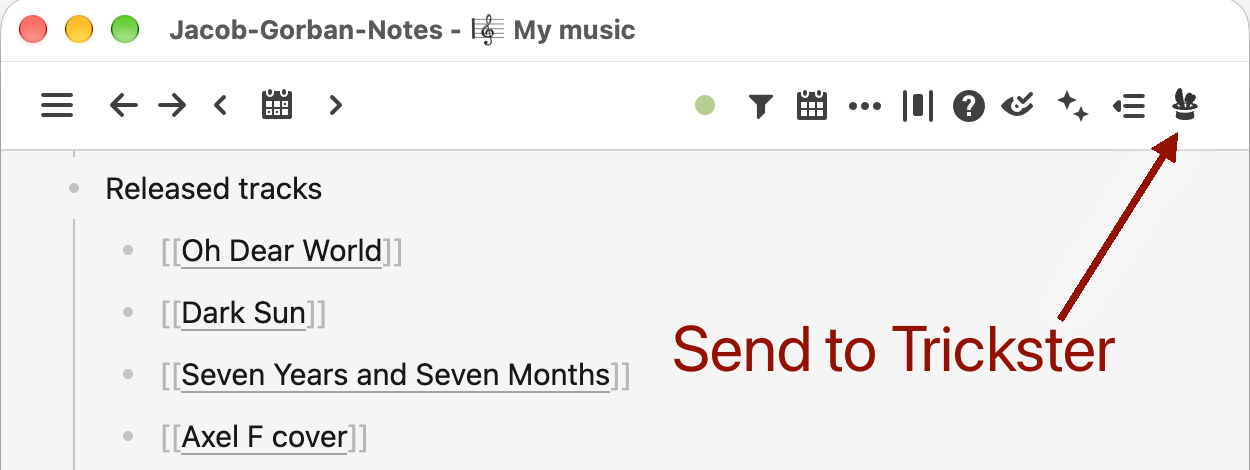
Send a page
- Click the Trickster icon in Roam’s topbar, or
- Open Roam’s command palette (Cmd+P) and run Send page to Trickster. You can give this command its own keyboard shortcut in Roam’s Settings → Hotkeys.
The icon pulses while it sends and turns green when the page is saved. In Trickster, switch the bottom view control to links, or to both files and links, to see it.
Sending a page that is already in your list updates the existing link, rather than adding a duplicate.
The first time
The first time you send a page, Trickster asks whether to let Roam add links:
- Always Allow remembers the connection, so you won’t be asked again.
- Allow Once lets Roam add links for the next 10 minutes.
If your browser asks whether Roam may access devices on your local network, allow it. That’s how Roam reaches Trickster on your Mac.
Choose which link to save
In Roam’s Settings, open the Save to Trickster tab. URL format decides which link Trickster saves:
- automatic (default): a desktop link when you send from the Roam desktop app, and a web link when you send from a browser.
- web: a
https://roamresearch.com/...link, which opens in your browser. - desktop: a
roam://...link, which opens in the Roam desktop app.
Privacy
The extension only talks to Trickster on your own Mac. It sends the page’s title and link, and only when you click the button or run the command. It doesn’t change anything in your graph.